
What the DLL Is That?! A Friendly Dive Into Windows DLL Files
If you’ve ever gone poking around in your Windows system folders, you’ve probably stumbled upon mysterious files with the .dll extension. Maybe you thought, “Looks important—better not touch it.” Smart move. But now your curiosity’s got the better of you, and you want to know: What the DLL is a DLL file, anyway?
Let’s crack open the case.
First Things First: What Does DLL Stand For?
DLL stands for Dynamic Link Library.
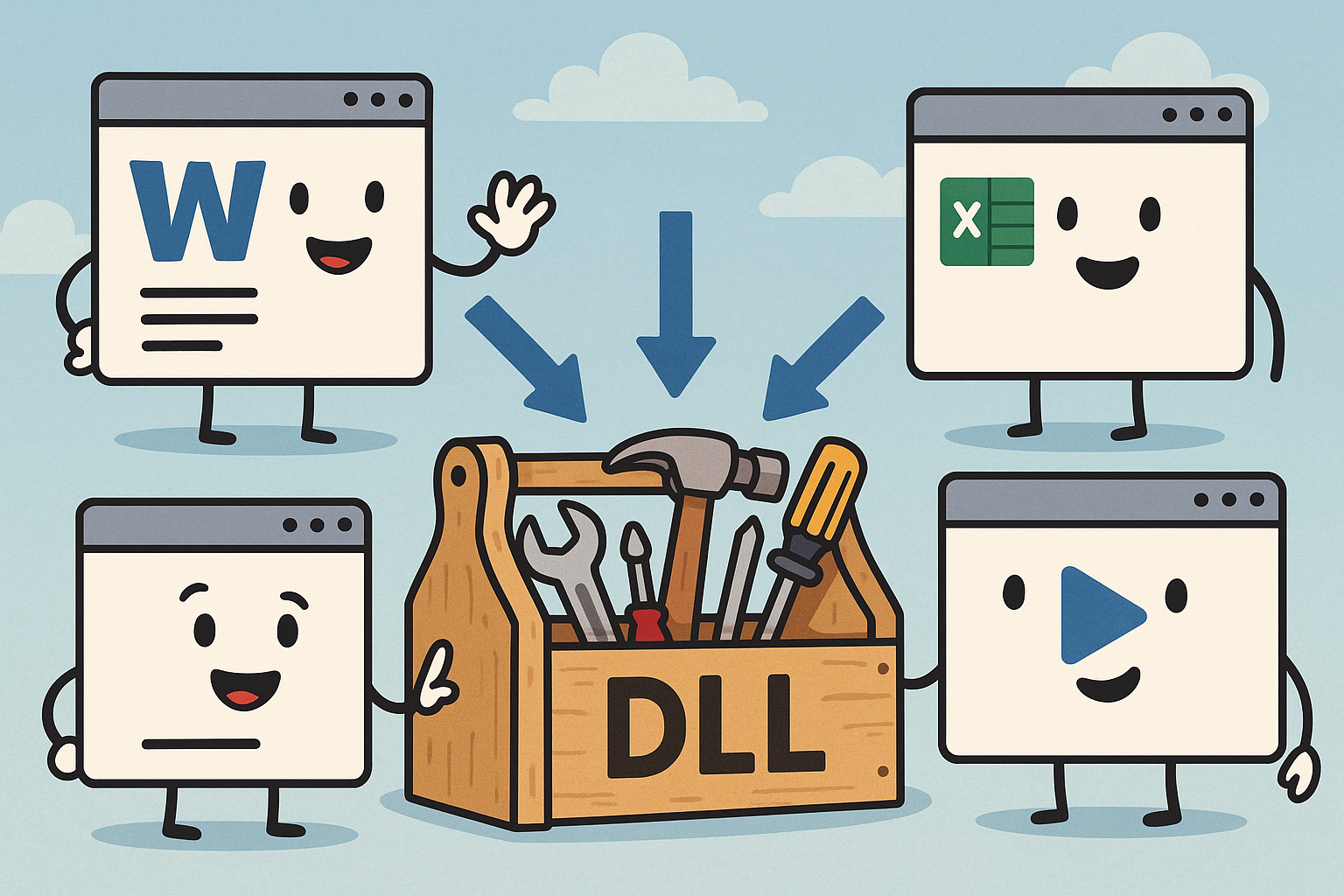
Sounds like a sci-fi server room or some kind of magical Windows spellbook, right? In a way, it is. A DLL is a collection of small programs or “resources” that other programs can use—like a communal toolbox in your garage that every project can borrow from.
Rather than every single app bringing its own screwdriver, hammer, and duct tape, they all just borrow from the same shared kit. Efficient, right?
So What Exactly Does a DLL File Do?
A DLL file contains code, data, or resources (like images, fonts, or icons) that multiple programs can use simultaneously. It’s how Windows avoids being a bloated mess where every program is dragging around redundant copies of the same functions.
Let’s say you’re running a music player, a photo editor, and a game. All of them might want to show text, play sounds, or interact with the Windows interface. Instead of each one carrying its own code for these tasks, they call up the same DLLs like shared utilities.
Think of it like calling an Uber instead of buying three cars for different errands.
Why “Dynamic” Link Library?
The “dynamic” part means the code in the DLL isn’t loaded until it’s needed, and it can be shared while the program is running.
This makes your computer faster and more memory-efficient. It also means that developers can update just the DLL (like fixing bugs or adding features) without rebuilding the whole application. It’s like upgrading your house’s plumbing without tearing the whole house down.
Pretty clever—until it breaks. (More on that in a sec.)
Real-Life Analogy: The Pizza Restaurant
Imagine a pizza restaurant. The dough, sauce, cheese, and toppings are your ingredients (functions and resources), and the oven is your DLL.
Each chef (program) doesn’t bring their own oven. That would be ridiculous, and probably a fire hazard. Instead, they all use the same big industrial oven (DLL) in the kitchen. It’s efficient, shared, and always hot.
But if the oven breaks (DLL gets corrupted or goes missing)? Now none of the chefs can cook. And that’s when Windows starts throwing tantrums like:
“The program can’t start because XYZ.dll is missing. Please reinstall the program.”
Pizza night ruined.
Common DLLs You Might Have Met
kernel32.dll– Handles core Windows functions like memory management. Basically the operating system’s brain stem.user32.dll– Manages the user interface, like buttons, windows, and the mouse. Without this, your PC would be as friendly as a brick.msvcrt.dll– Contains C runtime functions. If you ever coded in C or C++, you’ve danced with this guy.
The Downside: DLL Hell
In the old days (cue dramatic thunder), Windows users had to deal with what was known as DLL Hell. This happened when multiple programs tried to use the same DLL, but each wanted a different version. Chaos ensued.
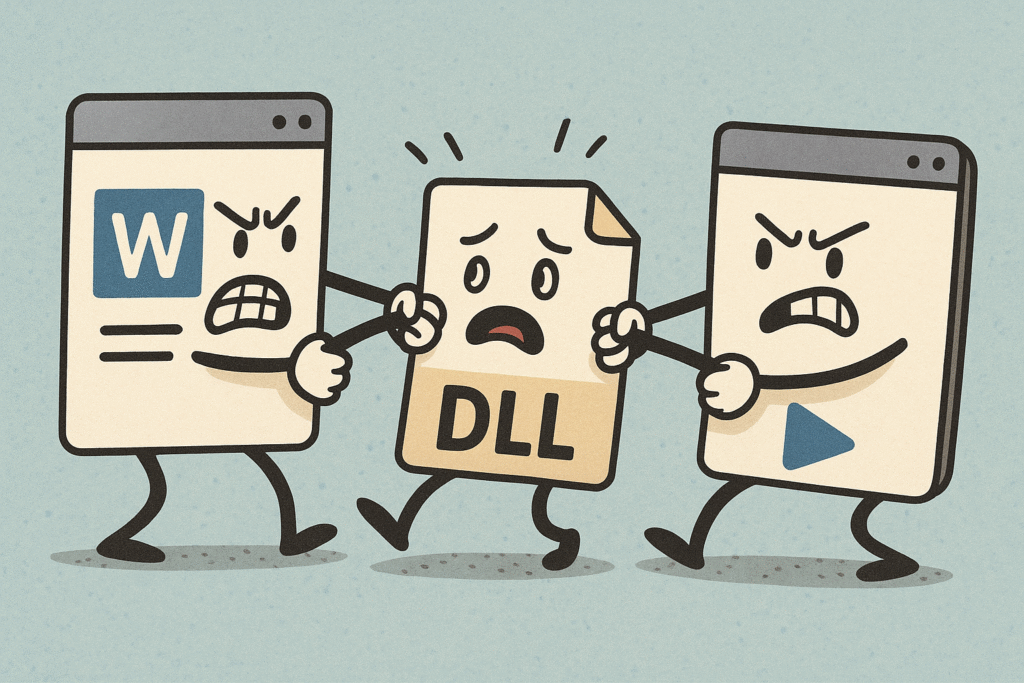
Imagine one chef replacing the oven with a newer model halfway through cooking someone else’s pizza. Now nothing is cooking right, and the customers are storming out.
Thankfully, modern Windows uses better methods like side-by-side assemblies and versioning to keep things peaceful in DLL land.
Can I Open or Edit a DLL File?
Technically yes—but unless you know what you’re doing, don’t. Opening a DLL file in Notepad is like opening brain surgery notes in crayon. It’ll look like gibberish.
DLLs are usually written in low-level languages like C or C++ and compiled into binary form. You need special tools like Dependency Walker or Visual Studio to analyze them, and that’s mostly for developers.
Editing a DLL directly without knowing what you’re doing is a great way to crash a program—or your whole system. So… maybe don’t.
When It Comes Down To It
DLL files are the unsung heroes of Windows computing. They quietly power your apps, keep your system lean, and make your life easier—until one goes missing. Then it’s all fire and error messages.
Next time you see a .dll file, tip your digital hat. That little guy might be helping half your programs work behind the scenes.
And hey—if Windows ever tells you one’s missing? Now you’ll know why.
Want more fun, bite-sized tech explainers? Stick around—we’re serving up fresh ones all the time (no DLLs required).